![logo-rlk-white.svg]](https://ai.reportlinker.com/hubfs/rlk-publique/logos/logo-rlk-white.svg)
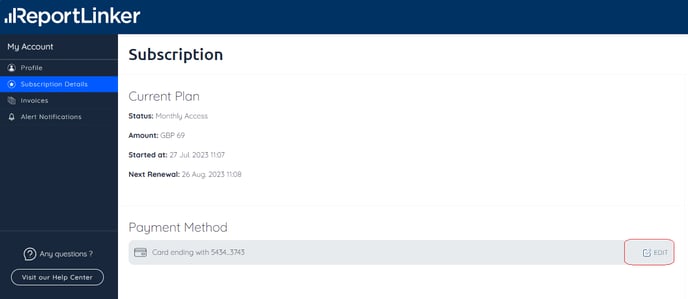
You can do that by yourself, directly online. To do so, just go on the "Profile" section and choose the “Subscription Details” tab.
On the "Payment Method" Section, select "Edit:
A form will appear where you can enter the details of your new card.
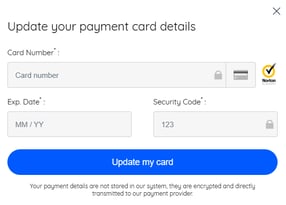
After entering the new card details, carefully review the information to ensure accuracy.
Once you're certain everything is correct, click on 'Update My Card' to confirm it.