![logo-rlk-white.svg]](https://ai.reportlinker.com/hubfs/rlk-publique/logos/logo-rlk-white.svg)
There are a lot of things you can do from your Folders dashboard. Here, we are going to address how to share your folders with your team members.
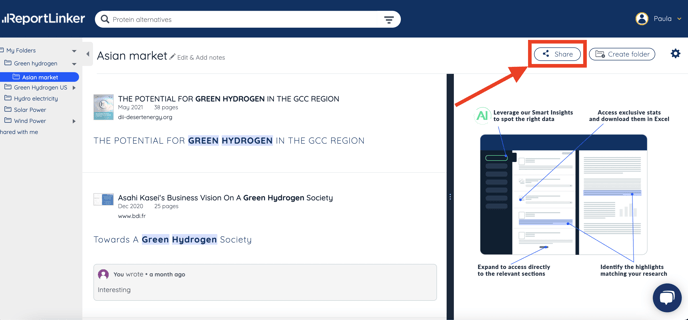
- Head to your Folders dashboard
- Click on the Share button on the top right part of the page
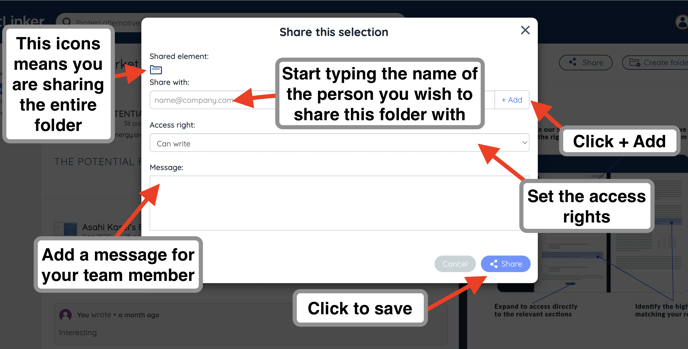
- A pop-up will appear, where you can enter the name and/or the email address of the team member you wish to share your Folder with
- You can also set the type of access right for this person: can write or can read
- You can also add a message for the person you are sharing your Folder with
- Click on Share to save